Camay Lee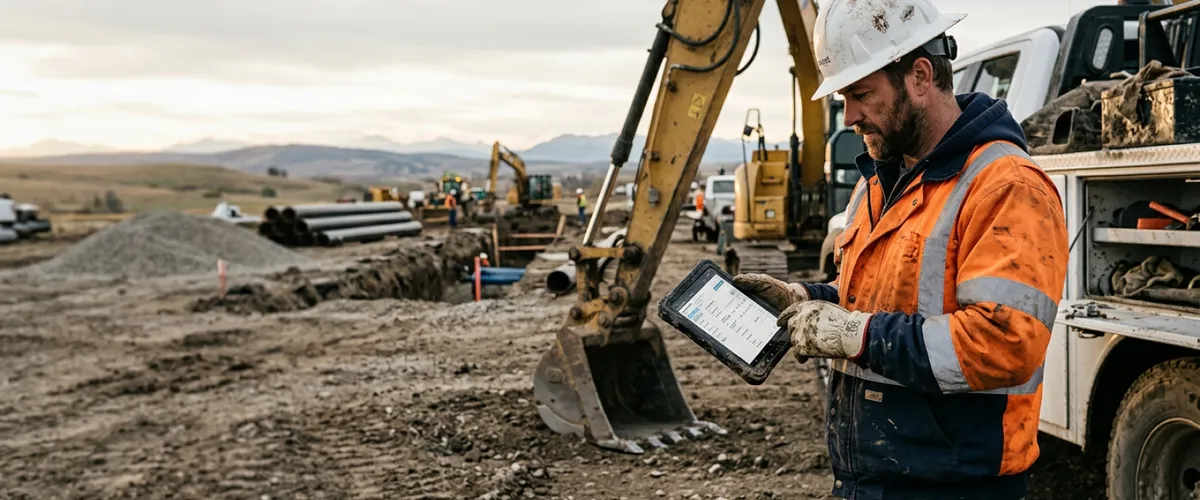
A work order is a document, increasingly a digital one, that authorizes and describes a specific job to be done. It spells out who does the work, what the job involves, where and when it happens, what materials and equipment are needed, and what it costs. In field service, the work order is what turns a customer request into scheduled, dispatched work, and it starts the chain that ends with an invoice.
The term “work order” gets used across a lot of industries. A maintenance work order in a manufacturing plant and a work order for a utility crew heading out to a job site are not the same thing. This post is about field and industrial services such as oilfield, construction, utilities, and maintenance. If you’re an operations manager, project manager, or dispatcher who creates, assigns, and tracks work orders every day, this is written for you.
Here’s what the rest of this covers: what belongs on a work order, how one moves from request to invoice, how it differs from a purchase order and a field ticket, and how field companies actually track them without losing money in the gaps.
What Is a Work Order in Field Service?
In field service, a work order is the instruction that authorizes and describes a single job. It’s what a dispatcher uses to send a crew out so everyone knows what needs doing, where, and at what rates.
Work orders start in one of two places. Sometimes you create your own to dispatch your crew to a job. Other times a client issues one to you, and it sets the scope and rates you’ll bill against. Either way, the work order is the plan. The record of what actually happened on site is a separate document, usually a field ticket.
The word “work order” itself is most common in utilities, telecom, and facilities maintenance. In oil and gas and construction, teams tend to talk about jobs, field tickets, LEMs, and daily logs instead, and the authorizing document is often a client purchase order or a job setup rather than a formal “work order.” The terminology varies by industry and even by company. What matters is the function: something authorizes and describes the work, and something records what actually got done.
The reason all of this matters so much in field work is timing. The people who know what happened are in the field. The people who need that information to bill are back at the office. The field record is what carries the truth from one to the other. When it’s accurate and it moves fast, you bill accurately and on time. When it’s late, wrong, or sitting in a truck, revenue you already earned slips.
What Information Should a Work Order Include?
A good field service work order gives the crew everything they need to do the job and gives the office everything it needs to bill for it. Leave a field blank and someone ends up making a phone call later.
Standard components of a work order:
-
Job description and scope. What work is being done, and how much of it. Specific enough that a crew showing up cold knows what “done” looks like.
-
Location. The site, lease, right-of-way, or address. In remote work this needs to be exact.
-
Assigned crew and equipment. Who’s doing the work and what they’re bringing. This is where labor and equipment hours get tied back to the job.
-
Materials. What gets consumed or installed, so it can be tracked and billed.
-
Schedule and timing. Start date, expected duration, and any deadline the client is holding you to.
-
Customer or PO reference. The client’s purchase order number or contract reference, so the eventual invoice matches what they approved.
-
Cost and rate information. Charge-out rates for labor, equipment, and materials.
-
Completion sign-off. Space for a supervisor or client to confirm the work was done and accepted. This is what makes the record auditable.
That last one carries more weight than it looks. A signed-off work order is the difference between an invoice a client pays without argument and one that gets disputed three weeks later.
The Work Order Lifecycle in Field Service
This is where a work order earns its keep. Every job runs through the same basic flow, whether it’s tracked on paper or in software. Understanding the lifecycle is how you find where money and time leak out.
1. Request. A job comes in. A client calls, an internal team flags maintenance, or a project milestone triggers the next phase of work. Something needs doing and someone needs to be sent.
2. Creation. The request becomes a work order. Scope, location, timing, and rates get filled in. The clearer this step, the fewer questions the crew asks later.
3. Assignment and dispatch. The work order goes to a crew. Dispatch matches the right people and equipment to the job and schedules it. On a busy day with 40 jobs and limited crews, this is where good coordination separates a smooth week from a chaotic one.
4. Execution in the field. The crew does the work. They record hours, equipment used, materials consumed, and anything that changed on site. This is the moment accurate data exists, and also the moment it’s most likely to get lost if it’s captured on paper.
5. Completion and sign-off. The work gets marked complete and approved. A supervisor or the client confirms it. Now you have a verified record of what was done.
6. Conversion to invoice. The approved field record becomes the basis for billing. The labor, equipment, and materials captured on site flow into the invoice. Do this well and the invoice goes out days after the work, not weeks.
This is the point where field work becomes money. The data captured in step 4 is exactly what finance needs in step 6. When those two steps are connected, billing is fast and accurate. When they’re separated by manual re-entry, you get delays, errors, and disputes.
Work Order vs. Purchase Order
These two get mixed up constantly because they travel together on the same job. The difference is direction.
A work order authorizes work to be performed: it tells a crew to go do a job. A purchase order authorizes a purchase: it commits a buyer to pay a supplier for goods or services. One is about work, the other is about spend.
What trips people up is that a PO can run in either direction on the same job. A client can issue a PO to you, authorizing the work and giving you a number to bill against. And you can issue your own PO to a vendor for materials, rentals, or a subcontractor. Same document type, opposite ends of the deal.
A field ticket is a different thing again. It’s not the plan, it’s the proof: the record of labor, equipment, and materials once the work is actually done. In oil and gas that field record is usually a LEM. If you want the full breakdown of field tickets and LEMs, that’s covered in our guide to what a LEM is.
| Document | What it authorizes or records | Direction | When it happens |
|---|---|---|---|
| Work order | Authorizes work to be performed | You to your crew | Before and during the job |
| Purchase order | Authorizes a purchase | Buyer to supplier | Before goods or services are provided |
| Field ticket / LEM | Records work actually done | Field to office | During and after the job |
The plan and the proof are two different documents. Keeping them connected, so the work you authorized matches the work you recorded and billed, is what makes an invoice hold up when a client questions it.
How Field Service Companies Create and Assign Work Orders Today
For a big share of the industry, the honest answer is still paper, whiteboards, spreadsheets, and phone calls.
A dispatcher writes jobs on a whiteboard and calls crews to assign them. A supervisor fills out a paper work order in a truck cab, sometimes the morning after the work, from memory. That paper travels back to the office in a glovebox. Someone types it into a spreadsheet. Someone else checks it. Then it gets matched to a client PO and turned into an invoice.
Every one of those handoffs is a place for the process to break. Work orders get lost between the site and the office. Nobody in the office knows a job’s real status until the crew checks in. The same numbers get keyed in twice, so errors creep in. And the invoice waits, because the office can’t bill work it can’t confirm.
None of this is a people problem. Crews and coordinators are doing their jobs. It’s a structure problem. The information that drives billing is scattered across paper, texts, and spreadsheets, and it moves at the speed of whoever is chasing it.
How Do You Track Work Orders Effectively?
Tracking work orders well comes down to four things: knowing a job’s status in real time, assigning and dispatching digitally, capturing data in the field as the work happens, and connecting that data straight to invoicing.
Real-time status visibility means the office can see where every job stands without calling the field. Digital assignment means dispatch isn’t living on a whiteboard that only one person can read. Mobile capture means the crew records hours, equipment, and materials on site, so the data is right and it doesn’t have to be re-entered later. And connecting that record to billing means the invoice is built from verified field data, not reconstructed weeks later.
This is where Aimsio fits. Aimsio is a field operations management platform built for industrial and commercial companies in North America, including oil and gas operators, construction firms, and utilities. It digitizes the whole flow, from dispatching crews and capturing field tickets to approving them and generating invoices.
Worth being precise about how this works, since it’s the whole point of the post. Aimsio doesn’t have a document called a work order. The closest equivalent is a Job. A Job is a single structured record that holds the client, location, scope, price book, and contacts, which covers the authorizing-and-describing role a work order plays in other systems. Crews get put on the Job through Dispatch and/or Job Assignments, and what they actually do on site is captured on Tickets, whether your team calls them field tickets, LEMs, or daily tickets. The plan lives in the Job. The proof lives in the Ticket.
Purchase orders sit alongside this, and they run from your side of the job. In Aimsio, your crew raises a PO from the field or office, ties it to the Job, and once it’s approved that committed cost can be billed back to the client as a third-party charge. Every dollar spent becomes a dollar billed to the job.
In practice that looks like this. Crews fill out their tickets on the Aimsio mobile app, even if there’s no cell service, and the data syncs once they’re back in a connected area. Bill rates pull from the price book, so nobody is entering numbers from memory. Signatures are captured on site. And when a ticket is approved, it converts to an invoice in one click, built from the same field data instead of re-keyed from paper.
The numbers back it up. Aimsio has processed more than 6.5 million field tickets and supported over $13 billion in invoices. On the platform, 91% of tickets are approved on the first submission, and 99% are approved eventually. That first-submission number is the direct result of removing the manual steps where errors get in.
Swift Underground, an underground utility contractor in Western Canada, runs this in practice. With Aimsio, they have real-time visibility across 2,826 jobs and an average of 4.0 days to invoice. Federation Construction supports over 200 field staff with just 5 administrative roles, because the back office isn’t buried in re-entry.
What Changes When Work Orders Go Digital
Track your work orders on paper and you spend your day chasing status, decoding handwriting, and waiting to bill. Track them digitally and the picture flips. The office sees jobs as they happen. Crews capture data once, in the field. Invoices go out in days because the record is already accurate and approved.
That’s the shift worth making: from field chaos to clarity, and from work that’s done to work that’s actually billed. Every hour worked becomes an hour billed.
See how Swift Underground moved off spreadsheets and cut their time to invoice to days →
Frequently Asked Questions
What is a work order?
A work order is a document that authorizes and describes a specific job: who does the work, what the job involves, where and when, and what it costs. In field service, it's the document that connects a customer request to scheduled, dispatched work. What actually got done on site is then captured on a separate record, usually a field ticket, which is what becomes the invoice. Work orders are increasingly digital rather than paper.
What's the difference between a work order and a purchase order?
A work order authorizes and describes work your own crew will perform. A purchase order is a buyer's commitment to pay a supplier for goods or services. The direction is the key difference: a work order tells your team to do work, while a purchase order commits someone to pay a vendor. They often reference each other on the same job.
What information should a work order include?
At minimum: job description and scope, location, assigned crew and equipment, materials, schedule, a customer or PO reference, cost and rate information, and space for completion sign-off. The sign-off matters most, because a verified, approved work order is what makes the resulting invoice defensible if a client questions it.
Who creates work orders in field service?
Usually a dispatcher, operations manager, project manager, or office coordinator creates the work order when a job comes in. In smaller operations, an owner or general manager may do it directly. The crew in the field then executes against it and records what actually happened.
How do digital work orders improve the process?
Digital work orders give the office real-time visibility into job status, let dispatch assign crews without whiteboards and phone calls, and let crews capture data on site instead of re-entering it later. Most importantly, they connect field data directly to billing, so invoices go out in days instead of weeks and with fewer errors.