Erin Pugh
In release 21.05, we made significant improvements to our Dispatch feature. Read all about it here:
It’s now easier than ever to dispatch crew and equipment with the new pop up window in the Job Timeline view.
There are two new changes to the Dispatch feature:
-
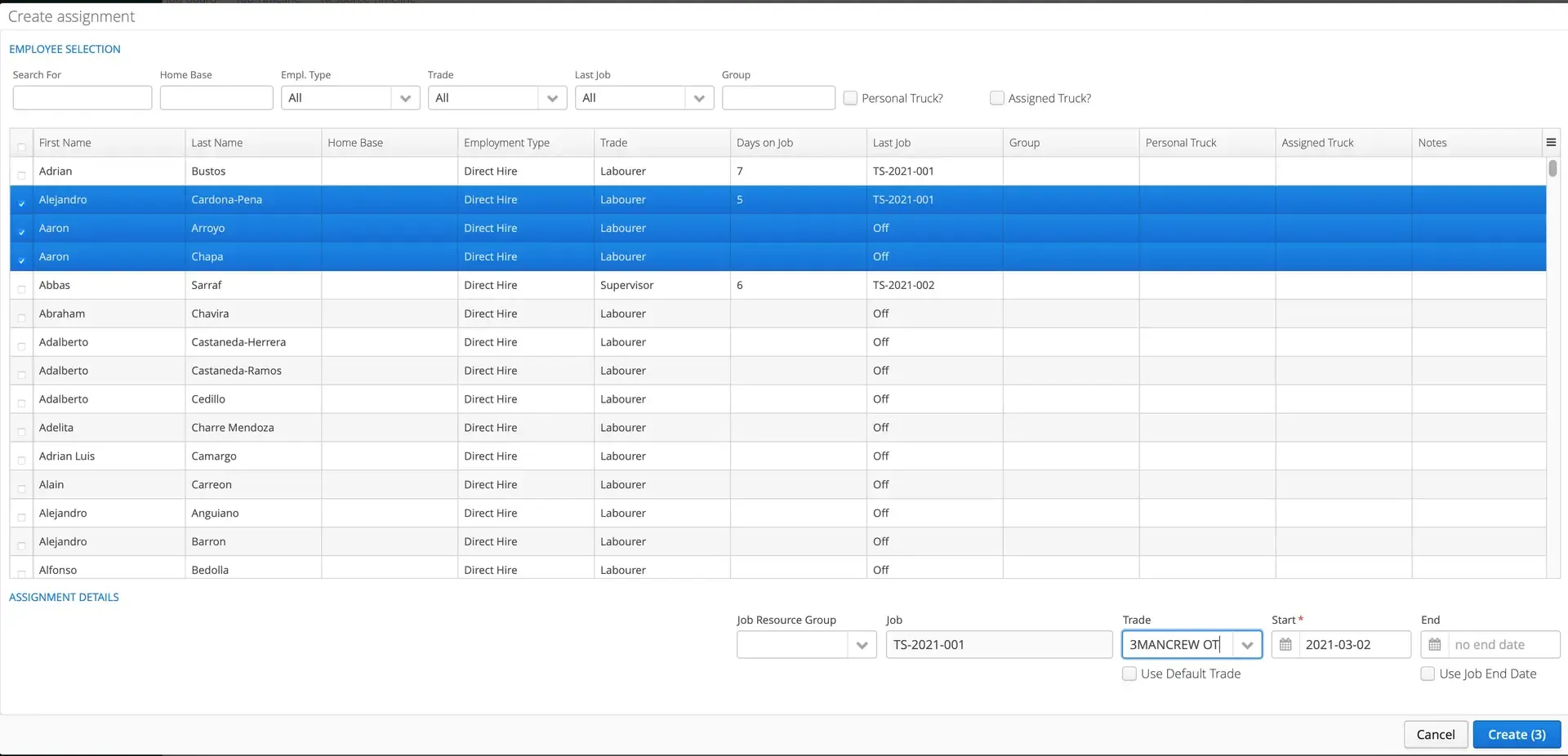
Within the Job Timeline, users can click on “Create New Crew Record” or “Create New Equipment Record”. This will open up a brand new window where resources can be selected and added straight to the job.
-
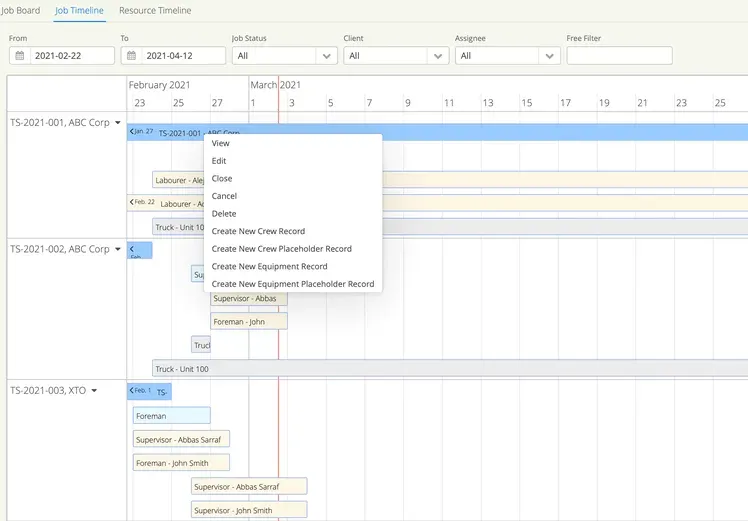
Also within the new pop up window, users can choose to “Create New Crew Placeholder Record” or “Create New Crew Equipment Record”. You can also add placeholders within the Job Board view.
The new pop up window allows users to dispatch all resources to a job with just one click OR if users simply want to add a resource placeholder, they can save time by doing so.
If you have the Dispatch feature, you’ll be able to see each of the changes:
1. Create New Resource Records in the Pop Up Window
Dispatch crew and equipment within the Job Timeline view by right clicking and selecting either “Create New Crew Record” or “Create New Equipment Record”.
Then select the resources to dispatch to the job. Voila.
Not sure which resource will be on the job yet? No problem, add a placeholder instead.
This feature was included in release 21.05, available on March 10, 2021.