“Just use your ERP for field operations.”
“Can’t we customize our accounting software to handle field tickets?”
Your accounting system is a system of record; it tracks what happened. FSM software is a system of execution. It makes revenue capture systematic as work happens.
Understanding this distinction is the difference between chasing invoices for two weeks and getting paid in two days. It can save you from years of frustration, hundreds of thousands in unnecessary ERP costs, and 3–7% annual revenue leakage.
Who Should Use ERP vs. Field Service Management Software?
Accounting Systems & ERPs
Primary Users: CFOs, Controllers, AR/AP teams
Systems Range From:
- Lightweight Accounting: QuickBooks (Online/Desktop), Sage 50 – Most common for field companies
- Mid-Market ERP: Sage 300, Explorer Eclipse
- Enterprise ERP: NetSuite, Microsoft Dynamics, Sage Intacct – For complex financial needs
Core Purpose: Record financial transactions, manage AR/AP, process payroll, generate financial reports, ensure compliance.
Key Point: System sophistication should match your financial complexity (multi-entity, complex revenue recognition), not your operational complexity.
Field Service Management Software (Aimsio)
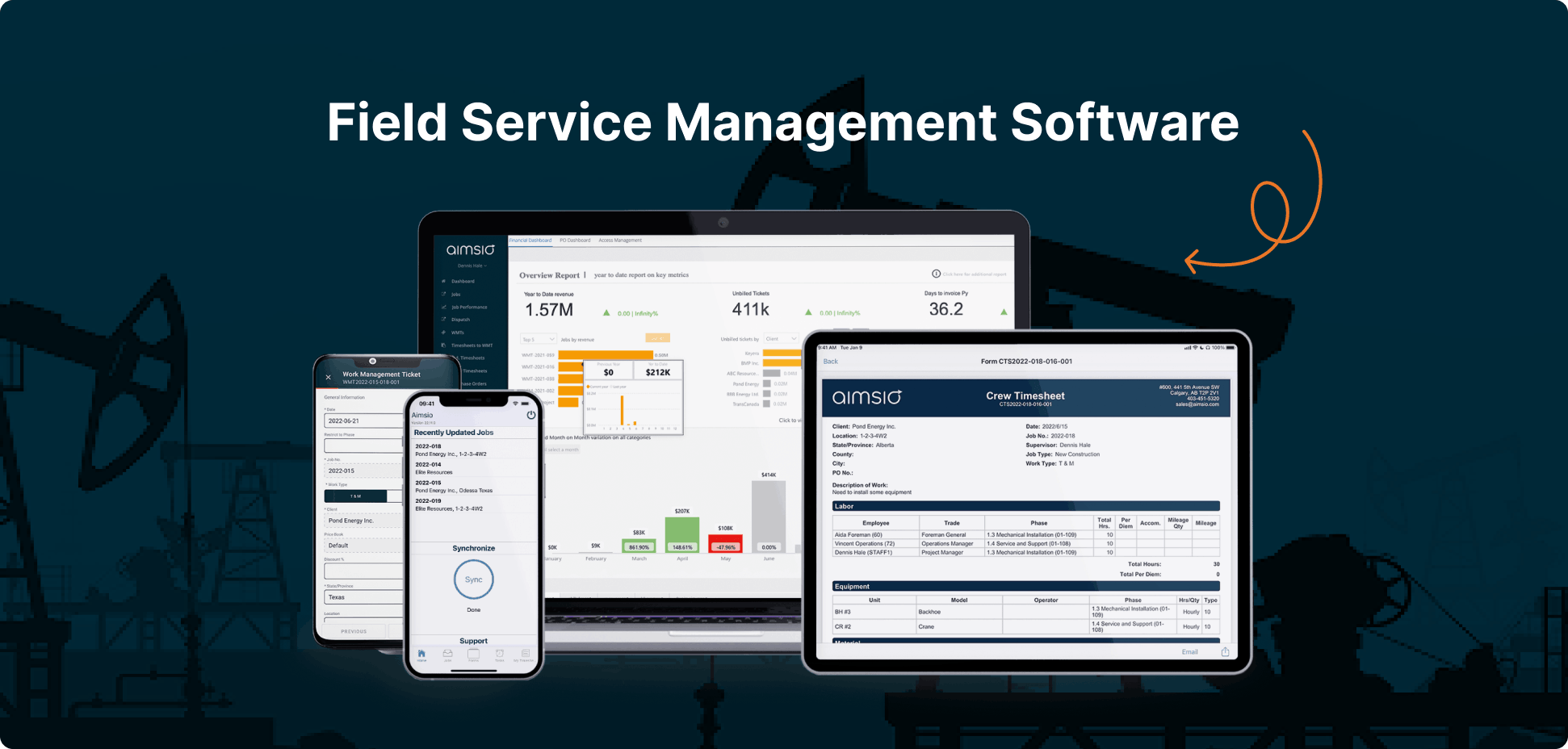
Primary Users: Field Crews, Project Managers, Operations Managers, Dispatchers, AR/AP, Controllers
Company Profile: Commercial and industrial service companies ($5M–$200M revenue) in oil & gas, construction, utilities, electrical, pipeline
Core Purpose: Capture, track, and manage work as it happens in the field, from dispatch and ticket completion to client approval, then create invoices (AR and AP) that interface directly with field activity, feeding clean data to accounting systems.
Bottom Line: If you’re asking “How healthy is my business financially?” your accounting system is the answer. If you’re asking “What’s happening in the field right now?” you need field service management software.
What Can ERPs Do vs. What Can Field Service Management Software Do?
What ERPs/Accounting Systems Excel At
- Financial transaction processing with precision and compliance
- Multi-entity consolidation (for those who need it)
- Regulatory compliance (GAAP, tax reporting, audits)
- AR/AP management and banking integration
- Financial reporting (P&L, balance sheets, cash flow)
Where ERPs and Accounting Systems Fail in Field Operations
They’re Designed for Accountants, Not Crews
Your superintendent isn’t going to navigate a chart of account codes while standing in mud at a pipeline tie-in. Field teams won’t touch GL structures. They default to paper or Excel, requiring manual re-entry later.
Job Costing Lags 1–2 Weeks Behind
Work happens Monday → Excel Tuesday → Payroll next Monday → ERP entry after that. By the time you know a job is over budget, you’ve already lost money. Real-time visibility doesn’t exist.
No Offline Mobile Capability
Your projects don’t happen in office parks. They happen 100 miles from the nearest office, across job sites with zero connectivity. Most ERPs require constant internet, creating data gaps and manual reconciliation.
Can’t Handle Field Complexity
Multi-crew dispatching, equipment tracking, union rules, prevailing wage calculations, client-specific billing requirements—ERPs don’t have the granular tools for this. You end up building complex workarounds or maintaining parallel systems in spreadsheets.
Revenue Capture Gaps
ERPs don’t prompt crews to capture billable items (equipment rentals, materials, change orders) at the source. This can result in 3-7% annual revenue leakage from unbilled work that never makes it to the system.
The Reality: ERPs assume stable internet, office-based workflows, and next-day data entry. Your field operations demand offline capability, real-time capture, and systems that work in a truck cab.
Do I need both an ERP and Field Service Management Software Together?
You need both an operational system and a financial system. But don’t confuse field complexity with accounting complexity.
The Standard Setup: Field Service Management Software + Lightweight Accounting (Most Common)
Aimsio + QuickBooks or Sage 50 works for the majority of field companies because:
- The complexity is in the field: Real-time dispatching, job costing, prevailing wage, union rules, equipment tracking, client approvals, mobile offline capability.
- Accounting is straightforward: Once Aimsio delivers clean, approved data, QuickBooks/Sage handles AR/AP and financial reporting just fine.
Who this works for:
- $5M to $50M+ companies with complex operations but straightforward financial structures
- Single entity or simple multi-entity setups
- Standard financial reporting and compliance requirements
What you get:
- Aimsio handles ALL field complexity
- QuickBooks/Sage receives clean, approved invoices from Aimsio
- Total cost: $10k-50k annually vs. $50k-500k+ for enterprise ERP
- Implementation: weeks to months vs. months to years
When You Actually Need Enterprise ERP
You need NetSuite, MS Dynamics, or similar alongside Aimsio if:
- Multiple legal entities requiring complex consolidation and inter-company eliminations
- Sophisticated revenue recognition requirements beyond QuickBooks/Sage capabilities
- Complex project accounting or cost allocation across multiple divisions
- Compliance requirements exceeding lightweight accounting systems
Key insight: This is driven by financial complexity, not field complexity or revenue size. A $100M field service company with straightforward financials doesn’t need Netsuite. A $25M company with multi-entity international operations might.
The Ideal Workflow (Aimsio + An Accounting System)
1. Your Accounting System Syncs Existing Data to Aimsio
Customer lists, employee records, chart of accounts, and other foundational data sync from your accounting system to Aimsio. No duplicate data entry. Aimsio uses your accounting system as the source of truth for master data.
2. Field Crews Capture Billable Work at the Source
Crews log work in Aimsio (mobile, offline-capable). Revenue is captured at the source with all billable details.
3. Operations Sees Job Progress Update in Real-Time
While work is happening, your ops manager sees exactly what’s being spent and where. Real-time job progress, dispatching, and resource allocation. Decisions are made based on current data.
4. Managers Approve Tickets Internally
Operations or project managers review and approve field tickets internally within Aimsio. Catch mistakes, add notes, or fix errors before anything goes to the client.
5. Clients Approve Tickets Externally
Approved tickets are sent to clients for sign-off through Aimsio’s client portal. They get a notification, review the work, and approve it digitally. No PDF exports or email chains necessary.
6. Finance Builds Invoices from Approved Tickets
Once tickets are approved by the client, finance creates the invoice. All the complex billing rules like prevailing wage and union rates are applied based on how you’ve configured things. No manual math or spreadsheet formulas.
7. Your Accounting System Records the Transaction
The invoice syncs to QuickBooks/Sage/NetSuite/etc. AR gets updated. The transaction is recorded. Your books stay accurate.
8. Your Accounting System Creates Financial Reports
Month-end close happens. P&L, cash flow analysis, investor reporting. Your accounting system does what it was built to do: give you a financial picture.
The shift: From manual, multi-step chaos to automated workflows where capturing revenue isn’t optional–it’s automatic.
ERP vs. Field Service Management Software: Side-by-Side Comparison
| Category | Accounting System/ERP | Field Operations Software (Aimsio) |
|---|---|---|
| Primary Users | CFO, Controllers, AR/AP | Field Crews, Project Managers, Operations |
| Core Purpose | Financial transactions & reporting | Work capture & operational execution |
| Operational Model | System of record (retrospective) | System of execution (real-time) |
| Best Use Case | Recording financial transactions | Executing and capturing field work |
| Time to Invoice | 5–12 days (manual entry) | Same-day to next-day |
| Risk of Revenue Leakage | 3–7% annually | <1% (digital capture at source) |
| Time to Capture Costs | 1–2 weeks delayed | Real-time visibility |
| Mobile Experience | Limited or poor | Native app, offline-capable |
| Field Adoption | Low (too complex) | High (purpose-built) |
| Complex Billing Rules | Manual adjustments | Configured calculations (prevailing wage, union rates) |
| Dispatching & Scheduling | Not included | Core functionality |
| Audit Trail | Financial transactions | Field activities and approvals |
| Reporting Focus | Financial health | Operational performance |
| Integration | System of record | Feeds structured data to accounting |
How Aimsio Works with QuickBooks, Sage, NetSuite, and more
Each platform has unique strengths and integration approaches. More details on each integration coming soon.
- QuickBooks Online and Aimsio – Most common integration, $5M to $50M+ companies
- QuickBooks Desktop and Aimsio – Desktop accounting with field operations power
- Sage 50 and Aimsio – Popular in construction, proven performance
- Explorer Eclipse and Aimsio – Industry-specific ERP for energy and construction
- NetSuite and Aimsio – When cloud ERP makes sense
- Sage 300 and Aimsio – Construction accounting meets field operations
- Sage Intacct and Aimsio – Cloud-based enterprise financial management integration
- Microsoft Dynamics 365 Business Central and Aimsio – Microsoft ecosystem integration
Can’t find your system? Contact us and we’ll walk you through integration options with your platform.
The Bottom Line
Don’t confuse field complexity with accounting complexity.
The mistake: Thinking complex field operations require complex accounting systems.
The reality: The complexity is in the field. That’s where you need sophisticated software.
For most companies under $50M, Aimsio + Quickbooks or Sage 50 outperforms enterprise ERPs by every operational and financial metric.
The companies who are killing it run:
- Aimsio for field execution (dispatching, job costing, ticketing, approvals, streamlined invoicing)
- QuickBooks or Sage 50 for accounting (AR/AP, financial reporting, compliance)
- Clean integration eliminates manual re-entry
- Total cost: $10k–40k annually vs. $50k–500k+ for enterprise ERP
Fewer steps. Fewer handoffs. Fewer decisions. Faster money.
From boots-on-the-ground to bottom-line results without spreadsheet chaos or unnecessary ERP complexity.
See Your Revenue Process From Field to Invoice
Stop losing revenue to operational chaos. See exactly where your current process is costing you and how Aimsio fixes it.
Get a 30-45 minute customized demo showing:
- Revenue you’re leaving on the table (we’ll audit your current process)
- How Aimsio captures billable work at the source
- Streamlined approval workflows (internal and client-facing)
- Invoice creation from approved tickets with configured billing rules
- Integration with your specific accounting system
Who this is for: Operations, field leadership, and financial decision makers; in other words, anyone who touches revenue operations.
See for yourself if Aimsio can become your transaction engine and not just another tool.
Frequently Asked Questions
Should I use an ERP for field service management?
Not by itself. ERPs weren’t built for crews on job sites with no connectivity. They were built for controllers in climate-controlled offices. Use an ERP for what it does best: financial management. Use a purpose-built field service management software for field operations.
Do I need an ERP if I’m doing $20M in revenue?
Not necessarily. Revenue alone doesn’t determine whether you need an ERP. Instead, financial complexity does.
Many $20M field service companies have straightforward financials: single entity, standard revenue recognition, basic reporting requirements. For them, Aimsio + QuickBooks handles everything and costs 80% less than enterprise ERP.
But if your $20M company has multi-entity consolidation, complex inter-company accounting, or sophisticated revenue recognition requirements, then yes, you need an ERP for the financial side. However, you’ll still need a FSM software like Aimsio for field operations because ERPs can’t handle real-time mobile dispatch, offline ticketing, or crew-level revenue capture.
Can I just customize my accounting software to handle field tickets?
You can, but you’ll spend years and hundreds of thousands building what field service management software already does. And field crews likely still won’t use it because accounting systems aren’t designed for remote job sites. Your superintendent won’t open an ERP or accounting software on site. He’ll likely use paper and someone will enter it later… if you’re lucky.
What about companies running Explorer Eclipse or other industry-specific ERPs?
If you’re running Eclipse or an industry-specific ERP, you know it handles your accounting well—for office-based workflows. But it wasn’t built for real-time dispatch, mobile ticketing in the field, or offline capability at remote sites. That’s where field service management software fills the gap. ERPs like Eclipse remain your financial system of record, and Aimsio becomes your operational execution engine.
Does Aimsio integrate with my ERP or accounting system?
Yes, but more importantly, we offer native integrations, not just API access that leaves you to figure out the connection yourself.
We’ve built direct integrations with the accounting and ERP systems field service companies commonly use: QuickBooks Online, QuickBooks Desktop, Sage 50, Sage 300, Sage Intacct, NetSuite, Explorer Eclipse, and Viewpoint Vista. We also integrate with ADP for payroll.
Most vendors offer API access and call it integration. That just means you can build the connection if you hire a developer. Native integration means we already built it, we maintain it, and when something breaks, it’s our problem to fix, not yours.