When you’re hauling at -30° or laying a pipe at 4AM, the last thing you need is software that doesn’t work as hard as you do. Field operations aren’t clean, quiet, or predictable. They’re gritty and can happen in the cab of a truck, not behind a desk. Whether you’re managing an oil patch, construction site, or maintenance crew, the pressure to keep operations moving is constant.
Being a leader shouldn’t mean being tethered to a desk. That’s why we’ve made mobile Job Assignments a standard feature for every Aimsio account. It’s the remote control for your jobsite.
Connect Crews to Jobs from Anywhere
To keep the world moving, the connection between “boots on the ground” and the office must be seamless.
Aimsio’s Job Assignments is a simple way to connect people and equipment to jobs from your phone or browser. Available in every plan, activated through user permissions.
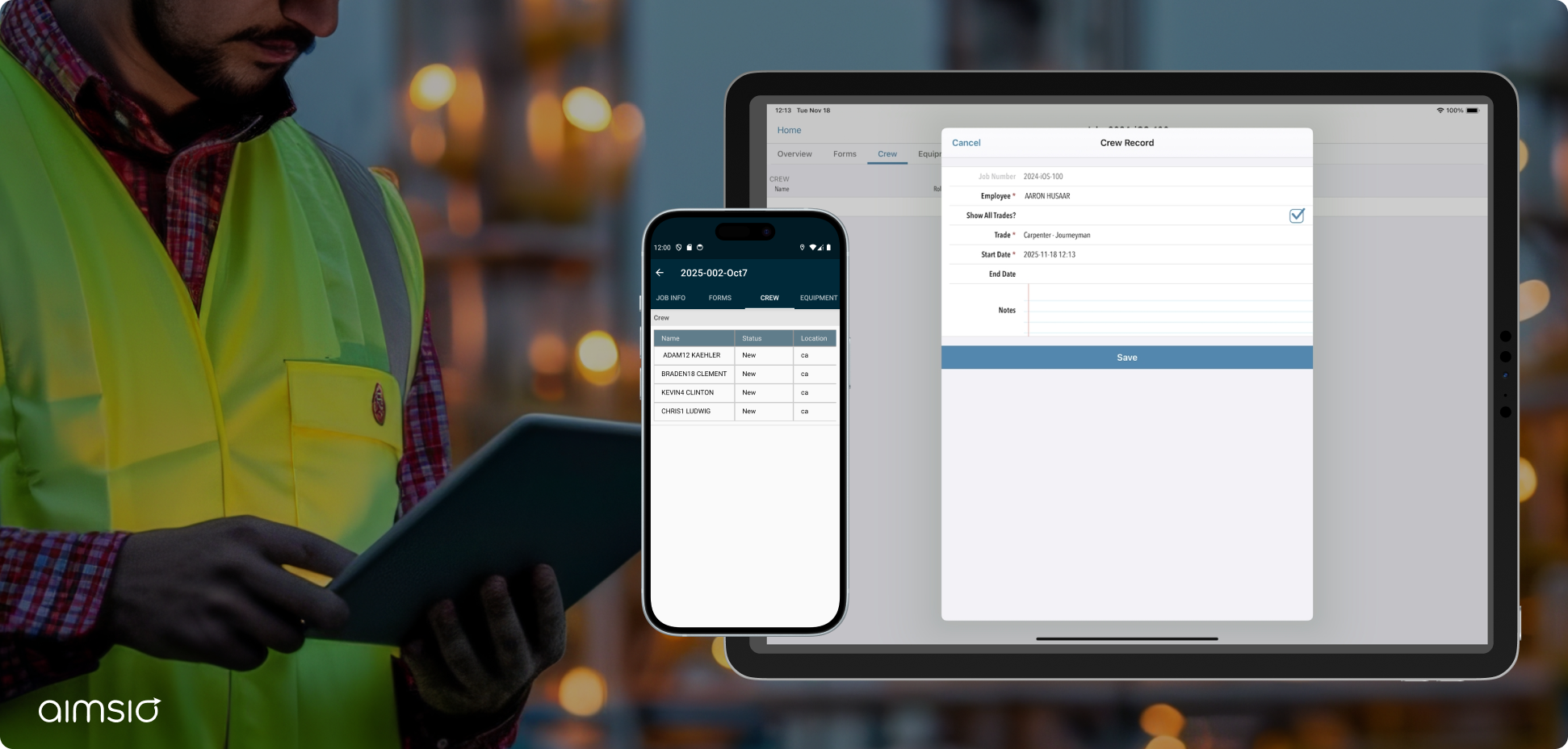
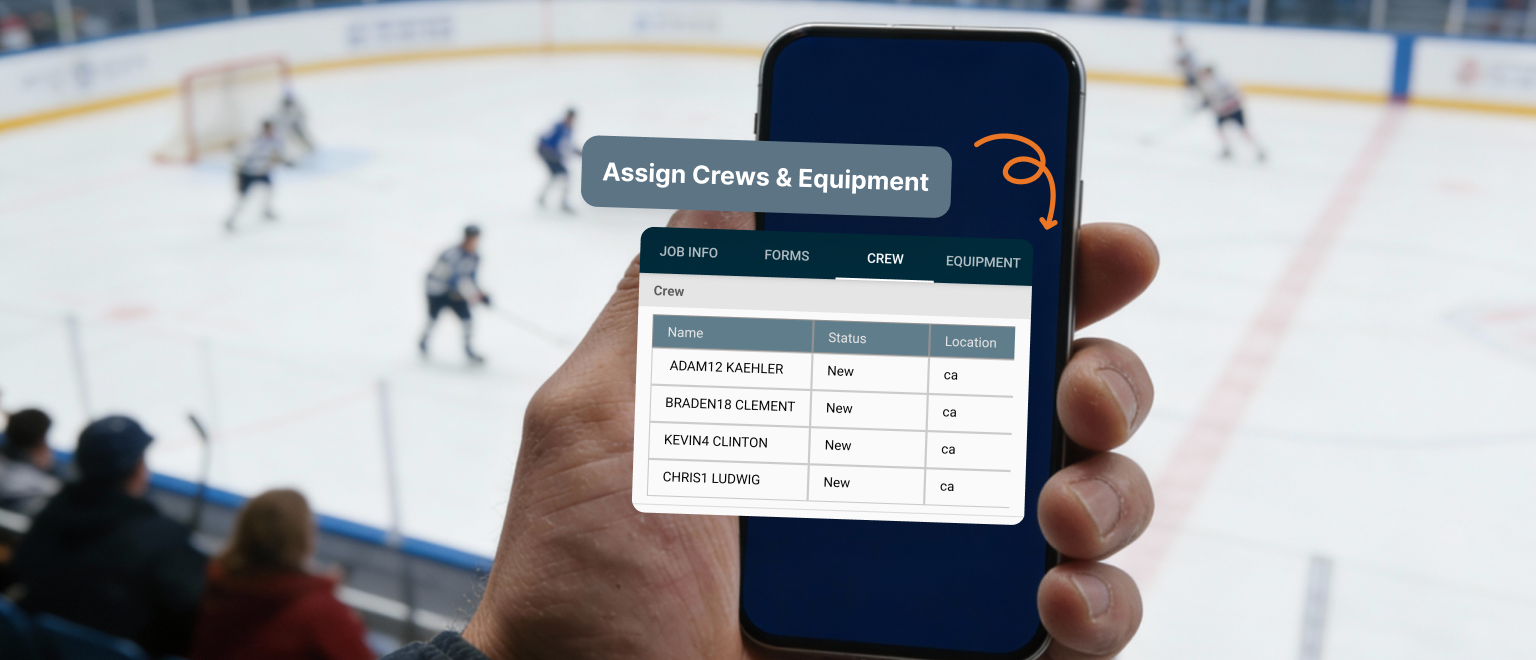
In every job, users can see dedicated “crew” and “equipment” tabs for fast navigation.
Pull up the job. Pick your crew. Assign the equipment. Done.
Crews see it in the app. The office sees it on the dashboard. Everyone’s on the same page. No radio calls. No frantic texts. No wondering who’s actually on site.
Operational Freedom for the Field Leader
This isn’t just about a feature; it’s about having authority over your time. Mobile Job Assignments gives you the flexibility to manage the job without the job managing your life.
- Handle the “now”: Swap equipment or update tomorrow’s crew assignments from your truck cab.
- Manage the unpredictable: When a job changes (and they always do), you handle it right then and there, not after you drive 200 miles back to find the right clipboard.
- Be present where it matters: Spend the weekend coaching your kid’s game. If a resource needs to move for the morning shift, handle it in 30 seconds from the sidelines.
When You Need More: Job Assignments vs. Dispatch
Aimsio provides real tools for real crews at every level. While job assignments are standard for every account, some organizations require the high-velocity logistics of our Dispatch Add-On.
These tools work hand-in-hand to eliminate the gap between the field and the office. Use Job Assignments as your mobile “remote control” for immediate needs on-site, and use the Dispatch add-on as your desktop “command center” to plan, verify, and optimize your entire operation.
Comparing Job Assignments vs. Dispatch
| Capability | Job Assignment (included in every plan) | Dispatch (professional add-on) |
|---|---|---|
| Primary device | Multi-Platform: Built for use on Aimsio’s mobile app (iOS/Android) and web browsers. | Desktop-first: A heavy-duty “command center” optimized for large-screen logistics management. |
| Main use case | Quick tagging: Assign a person or piece of gear to a job in seconds. | Visual planning: High-level drag-and-drop scheduling across all jobsites. |
| Best used for… | Flexibility: Handling shifts and swaps from the truck, or the sidelines of a game. | Optimization: Managing hundreds of people, complex timelines, and certification compliance. |
| Connectivity | App visibility: The crew sees their assignment the moment they open their app. | Automated alerts: Send instant SMS or email notifications to entire crews. |
| Outcome | Freedom and accuracy: Allow leaders to manage crews from anywhere while ensuring the office has clean billing data. | Efficiency and growth: Reduce overhead by ensuring every resource is utilized at its highest capability. |
Built for Where the Work Gets Done
Aimsio was built by field crews who got tired of lost tickets, manual re-entry, and systems that only work when you’re sitting at a desk.
This level of “Field to Finance” control should not be a luxury.
We know what it’s like to be 200 miles from the office when everything goes sideways. We know what it’s like to lose an hour of productivity because the job board is a whiteboard that only exists in one room.
So we built a platform that works offline, syncs when you get a signal, and gives you total control without tethering you to the office. From the dirt to the dashboard, that’s how field operations should work.
Start Assigning From Your Phone Today
Existing Users: Simply have your admin enable the correct permissions to start using the Crew and Equipment tabs on web or mobile today. Click here for more details.
New to Aimsio? Experience total control without being chained to a desk. Activate a free trial of Aimsio Lite today.
Frequently Asked Questions
Can I assign field crews from my mobile phone?
Yes. Aimsio’s Job Assignments lets you connect crews and equipment to jobs directly from your phone or browser. Changes sync in real-time to the office dashboard.
How do I assign crews to jobs in Aimsio?
It only takes a few taps. Pull up the job in Aimsio either on the app or desktop, select the crew members you need and assign equipment in the dedicated “crew” and “equipment” tabs.
Does mobile crew and equipment assignment work offline?
Yes. Aimsio is built for field conditions. The platform works offline and syncs updates automatically when you regain signal. This means you can assign crews even in remote locations with spotty connectivity.
What’s the difference between Aimsio’s Job Assignments and Dispatch?
Job Assignments is a simple way to connect people and equipment to jobs from anywhere, available in every Aimsio plan. Dispatch + Compliance is a full scheduling and management system with Job Board views, drag-and-drop scheduling, SMS notifications, certificate compliance verification, calendar views, crew confirmation tracking, and advanced filtering. Job Assignments get people on jobs. Dispatch manages complex scheduling operations.
Are Job Assignments included in all Aimsio plans?
Job Assignments are available in every Aimsio account. Your admin needs to enable the appropriate permissions for users who will be assigning crews to jobs.
What industries use Aimsio for field crew assignments?
Aimsio is built for heavy industrial field operations, including but not limited to construction, oil and gas, utilities, maintenance, energy, and infrastructure projects. Any company with crews working on highways, railways, right-of-ways, or remote jobsites uses Aimsio to assign teams, track work, and bill accurately.
Can I see what equipment is assigned to each job?
Yes. In Aimsio, when you assign equipment to a job in the “Equipment” tab of a job, it appears in both the mobile app and the office dashboard. Your project managers and billing teams can see exactly what equipment is tied to each job in real time, eliminating confusion.
How does Job Assignments improve field operations?
Job Assignments eliminate the need to drive back to the office to put crews on jobs. You respond to changes in real time, reassigning crews from wherever you are. This reduces downtime, keeps everyone aligned, and gives you back hours lost to outdated manual processes.
How does Aimsio handle "paper chaos" in the field?
By digitizing the assignment process, Aimsio eliminates lost tickets, manual re-entry, and the need for frantic radio calls, creating an auditable mechanism for all field changes.
What is the benefit of a "Field-First" platform?
Unlike office-first tools, Aimsio is built for dispersed teams and remote sites with low connectivity, ensuring that “boots on the ground” stay connected to the office dashboard.