Client Portal
Give clients visibility. On your terms.
Clients want updates without the back-and-forth. Aimsio's portal lets them see progress, approve work, and sign off digitally without a single phone call.
Before & After
What changes when you switch to Aimsio
Without a Client Portal
- Ticket approvals done over email - Clients reply to the wrong attachment, versions get mixed up, and disputes follow.
- Chasing signatures delays billing - You cannot invoice until the client approves, and every day of follow-up adds to your billing cycle.
- Clients dispute invoices they never reviewed - Without a clear approval record, every invoice becomes a negotiation.
- No visibility into approval status - You have no idea if the client has seen the document, ignored it, or lost it.
With Aimsio Client Portal
- Approvals happen in hours, not weeks - One digital sign-off replaces the email chase.
- Fewer billing disputes, more trust - Clients see the same data you do, so there's nothing to argue about.
- Your billing cycle gets faster - Approved work is ready to invoice the same day, not after days of follow-up.
- You always know where approvals stand - Pending, approved, declined, expired; statuses tracked in real-time.
Core Capabilities
Everything you need to get client sign-off fast
Digital approvals from any device, in minutes.
Digital Approvals
Send tickets, estimates, change orders, and RFIs to clients for digital sign-off. Clients get a secure email link and can review and sign from any browser. No app or account required.
Sequential Approvals
Need a site supervisor, project manager, and finance director to sign in order? Done. Just need any one person from a group to sign off quickly? That works too. Aimsio handles both.
Expiry Settings
Set a deadline on every approval request, from 1 to 180 days, or no expiry at all. Send a reminder or extend the deadline if a client needs more time. No need to start the process over.
Status Tracking
See where every document stands at a glance: Pending, Approved, Declined, Expired, or Void. No more wondering if the client received it or whether it is sitting unread in their inbox.
SMS and Email
Get notified by SMS or email the moment a document is fully signed. Your billing team knows right away and can move to invoicing without manual checks.
Branded Approval Emails
Add your logo and a custom message to the email clients receive when you send a document. Have multiple divisions? Assign the right logo to each document for a professional experience.
How It Works
From job to approval in three steps
Send for approval
Select the document and set your approvers, execution order, and expiry.
- Tickets, estimates, change orders, and RFIs supported
- Up to 5 approvers, sequential or any-one execution
- Expiry set from 1 to 180 days or never
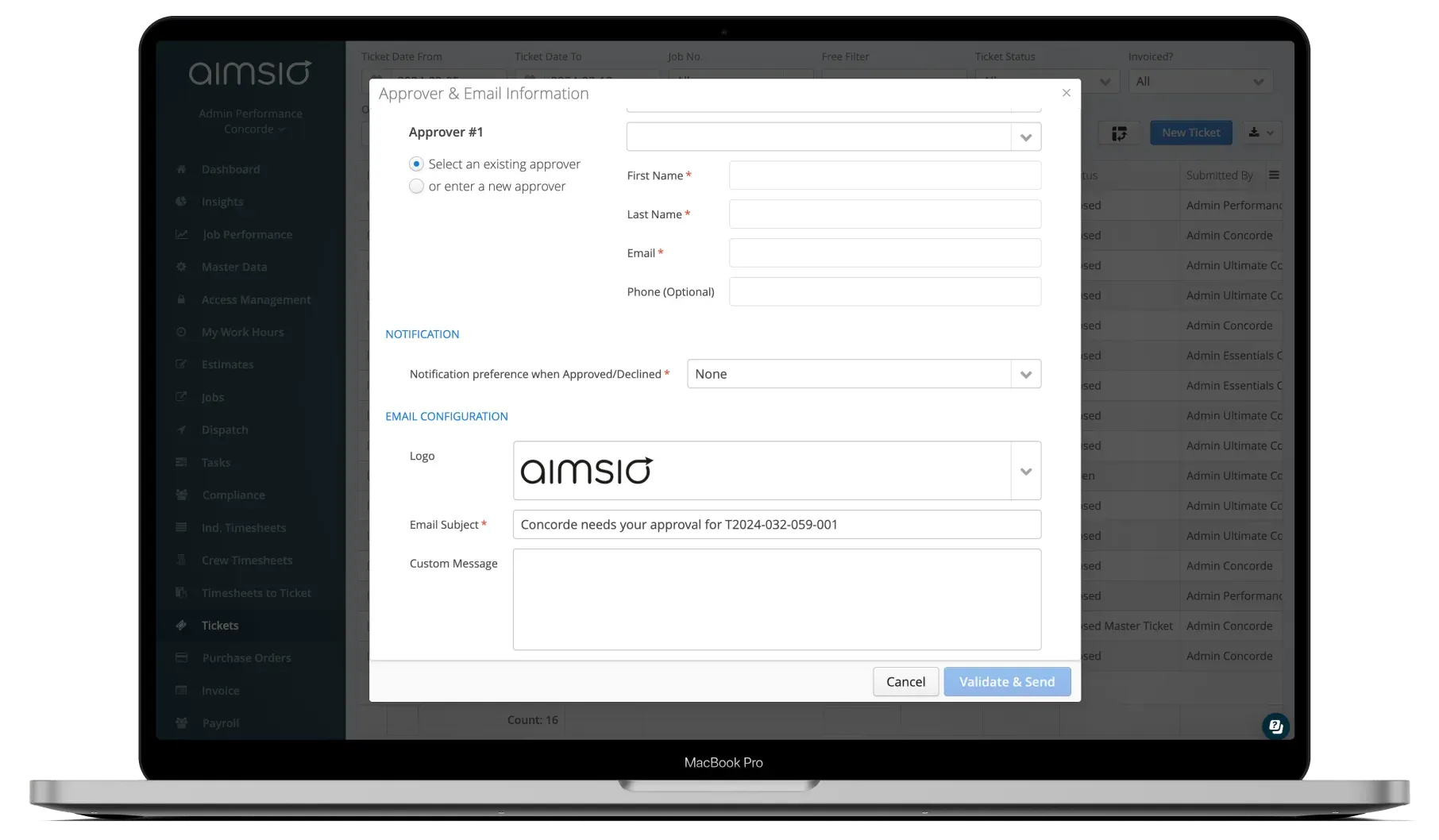 Approval ConfigurationClick to Zoom
 Client reviews and signs
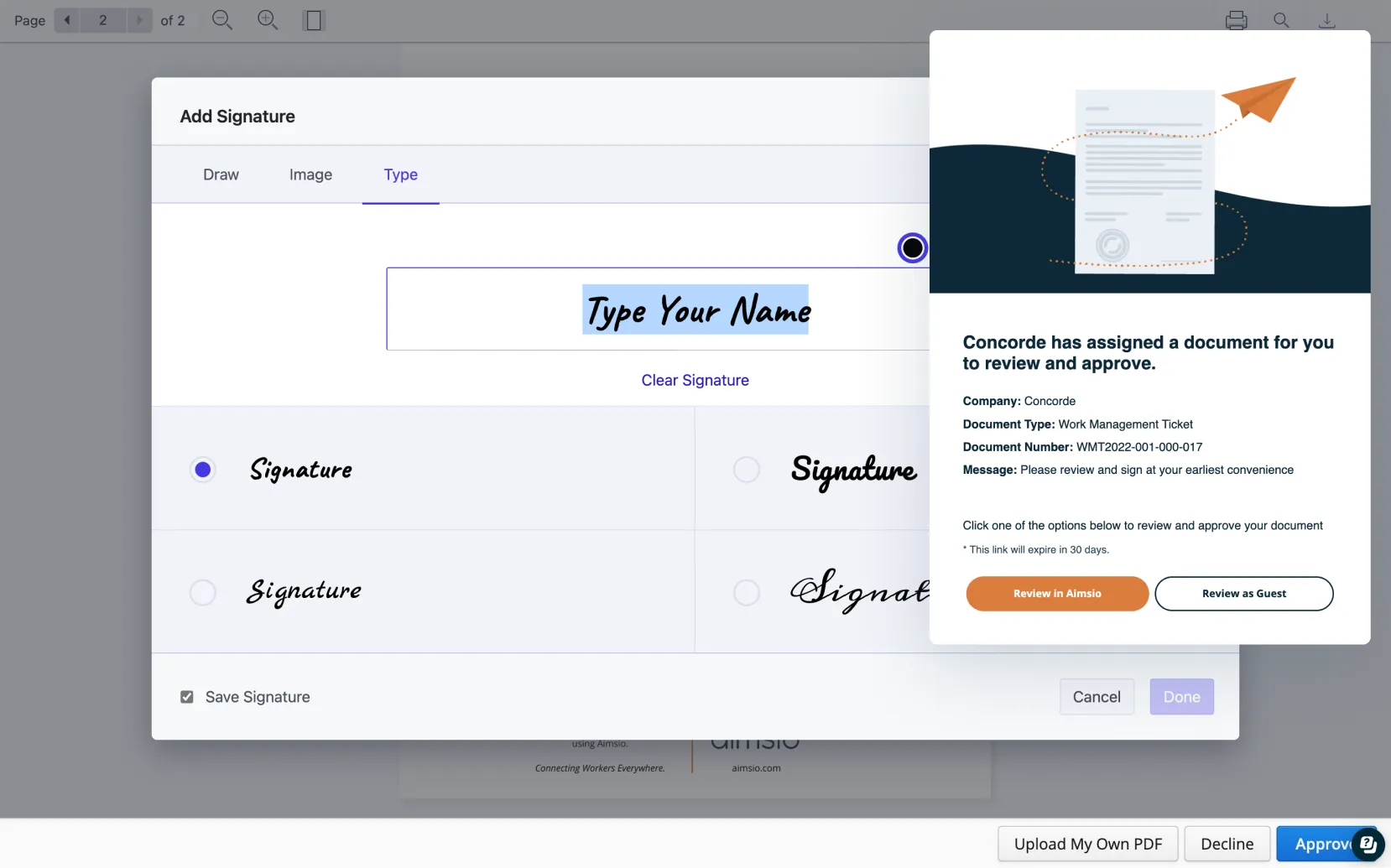
The client gets a secure email link and signs from any browser; no account needed. They can add notes, decline with a reason, or upload their own signed PDF if they use an external signing tool.
- No Aimsio account required to sign as a guest
- Notes field available
- Option to upload their own PDF
Client SigningClick to Zoom Approval tracked, billing ready
Once signed, the status updates in Aimsio and you get notified by SMS or email. The signed PDF is stored in your account with a full audit trail, ready for invoicing.
- SMS or email notification on approval
- Signed PDF stored automatically
- Full audit trail with timestamps
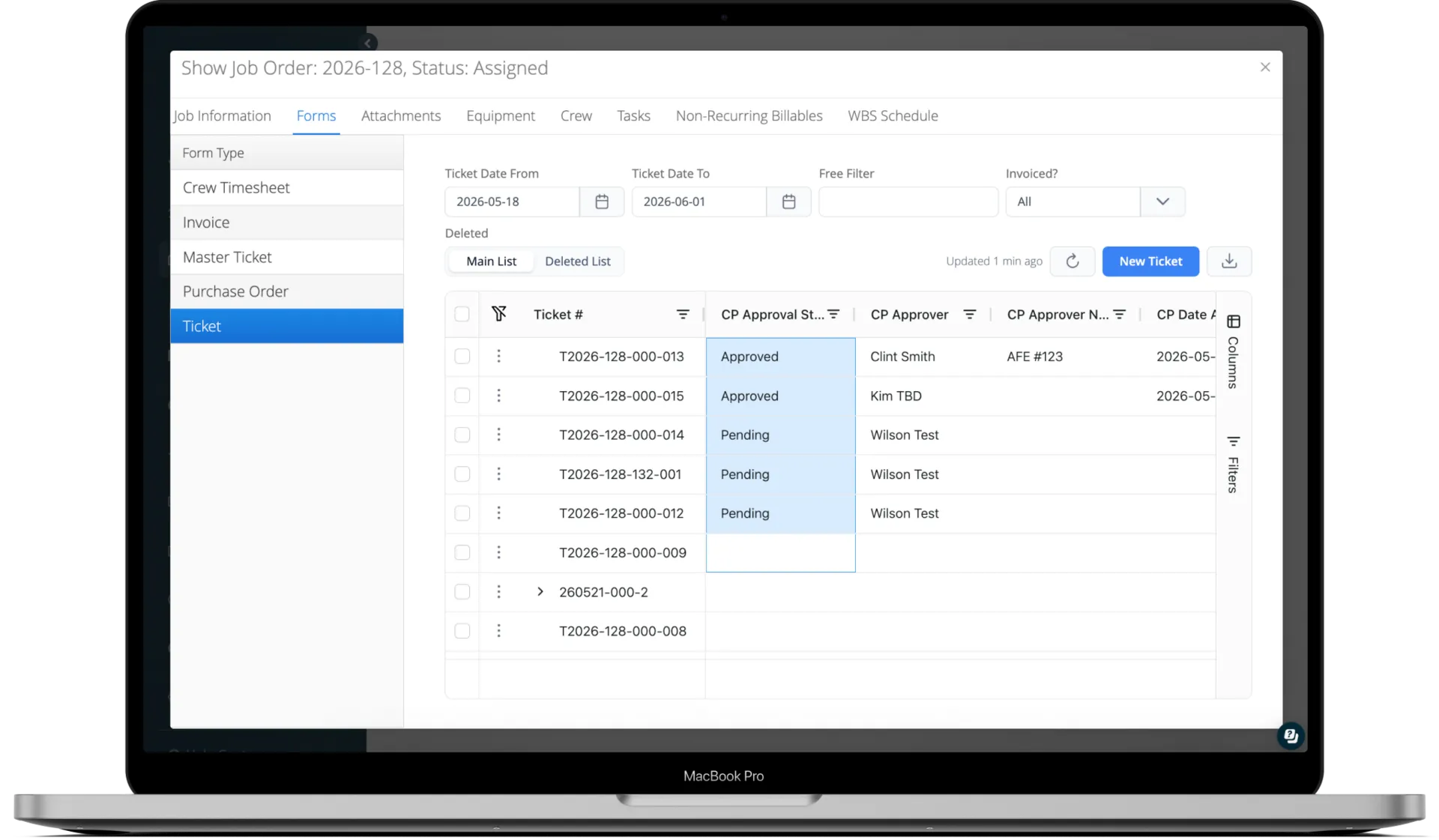 Approval TrackingClick to Zoom
 See It In Action
Client Portal in the platform
Watch how Aimsio's client-facing portal works in a real field operations environment.
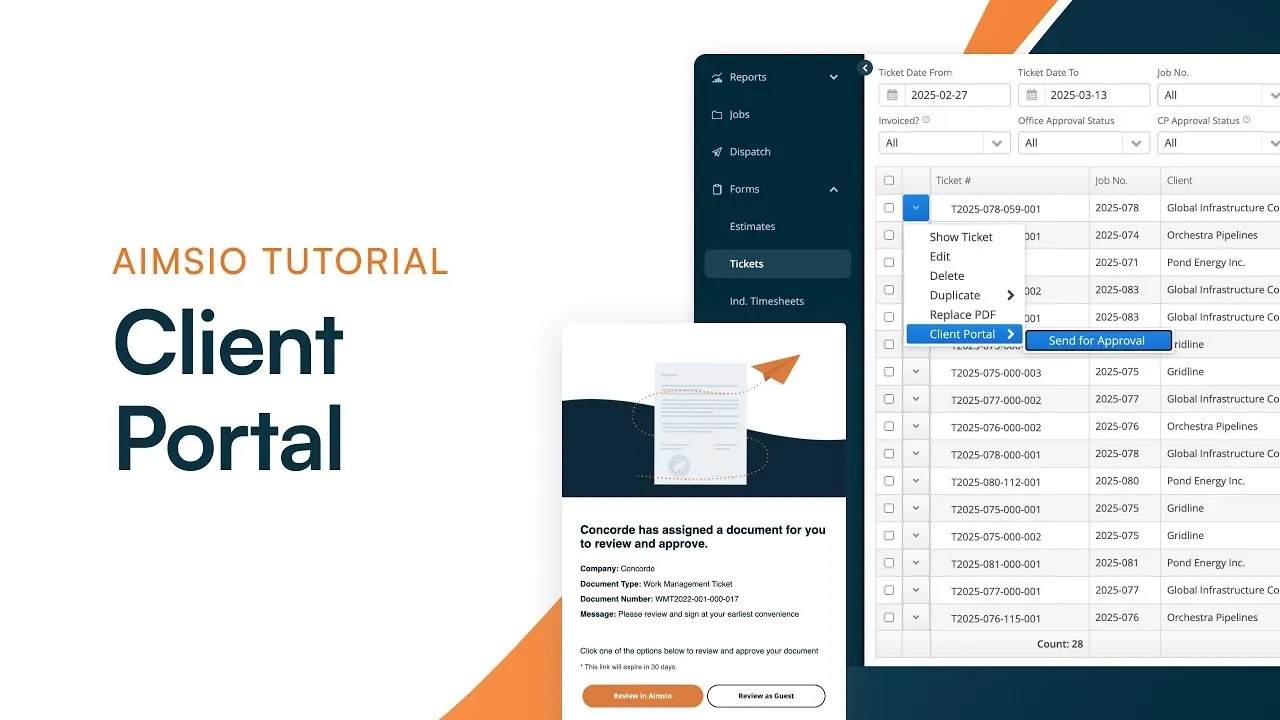
Getting customer signatures on work tickets directly in the field lets us turn work tickets into invoices much more rapidly.
Integrations
Works with the tools you already use
Aimsio connects to your accounting, payroll, and ERP systems - so data flows without double-entry.
 QuickBooks Online
 Sage Intacct
 ADP
ADP Explorer Eclipse
 Sage 300
 NetSuite
 MS Nav
 MS Business Central
 Viewpoint Vista
 Acumatica
Frequently asked questions
Tickets, estimates, change orders, purchase orders, and RFIs can all be sent for client approval through the Client Portal. Each document type follows the same approval workflow: secure email link, digital signature, and status tracking in Aimsio.
No. Clients can review and sign as a guest through their browser. No account, no app, no IT setup required. If a client wants access to their full document history, they can create a free Aimsio account at no cost.
When you choose sequential execution, each approver receives the document in order: approver 2 does not receive it until approver 1 has signed, and so on up to 5 approvers. The document stays in Partially Approved status until everyone has signed.
The client is required to enter a reason for declining. The reason is stored in Aimsio under the CP Approver Notes column. You can make corrections to the document, void the original request, and send a new one for approval.
Yes. If a client uses an external application like Adobe Acrobat or BlueBeam to sign documents, they can download the document, sign it externally, and upload the signed PDF back through the portal. The uploaded version replaces the original in your Aimsio account.
The document status updates to Expired and a new request must be sent. When sending a reminder, you have the option to extend the expiry deadline at the same time so the client has more time to sign without you needing to start the process over.
Yes. Use the Void Request action from the form page. You can choose whether the client receives an email notification of the void. Once voided, the document can be updated and sent for approval again.
Editing an approved document removes the signature and a new approval request needs to be sent. Changes to approved forms can affect billing information so accounts should limit who has the ability to edit closed forms.
Client Portal is included in every Aimsio plan: Lite, Essentials, Performance, and Ultimate. Compare product plans →

Ready to stop leaving
revenue in the field?
See how Aimsio can transform your operations in a 30-minute demo.