Custom Lists
Give your team standardized dropdowns instead of free-typed text. Build a list once, and your crews select from it on any form — so the same customer, location, or activity is recorded the same way every time.
When field crews type the same information by hand on every form, it never comes out the same twice. One crew member logs “travel,” another logs “Travel Time,” a third logs “driving.” By the time that data reaches the office, it is nearly impossible to report on cleanly. You cannot tell how much time actually went to travel across your jobs, because the same activity was recorded three different ways.
Build the list once. Your team selects from it everywhere.
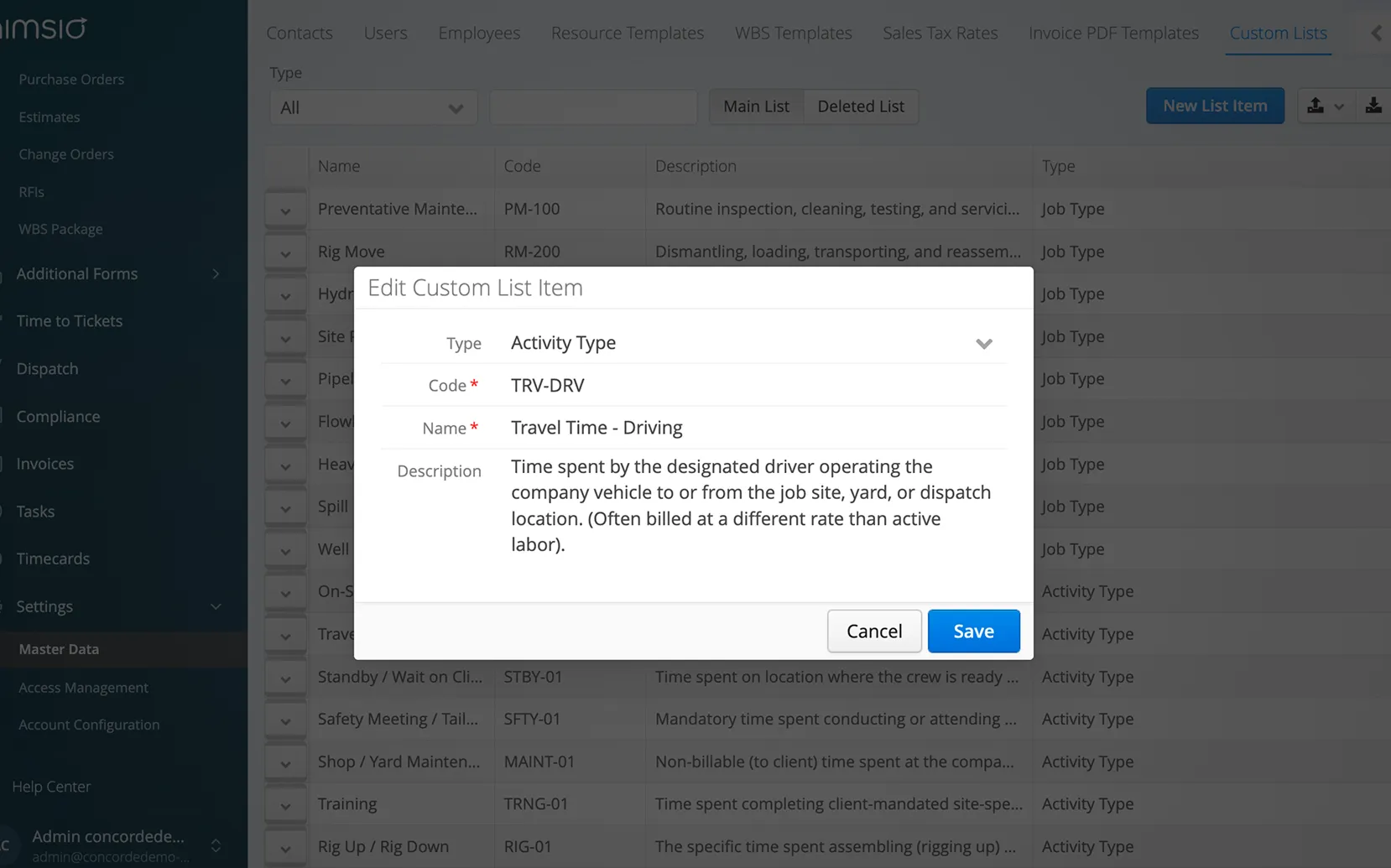
Custom Lists live in your Master Data, where you build a centralized set of selectable options. Once a list exists, its items appear as a dropdown on any Aimsio form you connect it to — including jobs, tickets, and timesheets. Your crews pick from the list instead of typing it out, so every entry matches. Each item in a list is defined by three simple fields:
A unique identifier for the item.
The label your team sees.
Extra context when it helps.
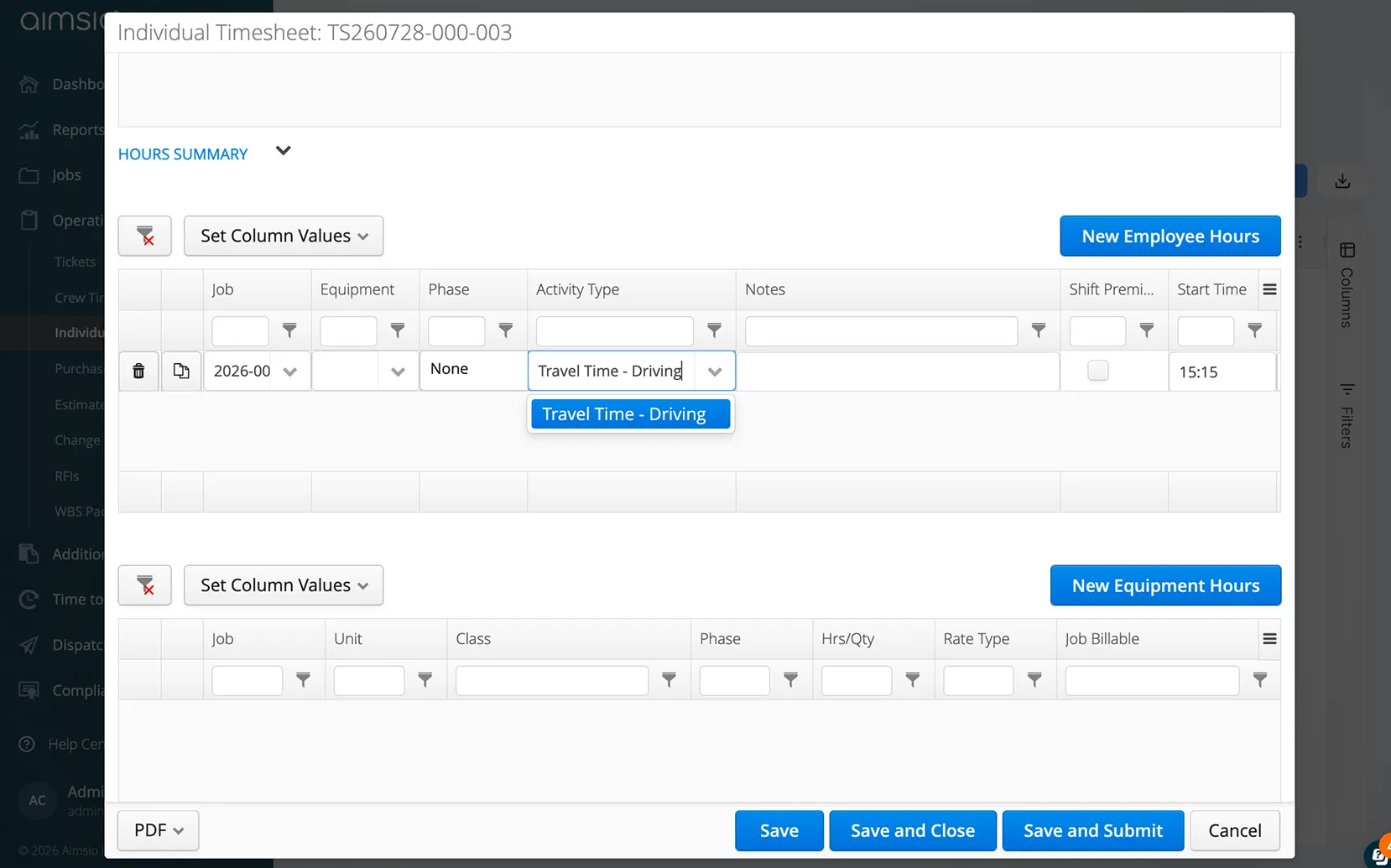
The same list, in two places
Build a list item once in Master Data, and it shows up as a ready-made dropdown on your forms.
Any data your team records repeatedly
Custom Lists work for any recurring data your crews enter in the field. Common uses include:
Job types
Standardize how work is categorized across every job.
Activities
Log time against a consistent set of options like On-Site Labor, Travel Time, and Standby.
Field conditions
Capture weather, road conditions, or site status from a fixed set of choices.
Customers & locations
Keep names and codes consistent across your operation.
Equipment & materials
Standardize equipment categories and material types so reporting stays clean across crews.
And more
If your team types the same kind of information regularly, it can usually become a Custom List.
Frequently Asked Questions
Custom Lists are built and managed in your Master Data. Once a list is created, it can be connected to any form, including but not limited to jobs, tickets, and timesheets.
Anything your team records repeatedly, such as job types, activities, weather and road conditions, customers, locations, equipment categories, or material types. If your crews type the same kind of information regularly, it can usually become a Custom List.
Yes. Any fields selected from a Custom List can be configured to display on your exported PDF tickets and invoices, so the value chosen in the field carries through to the document.
Custom Lists are global by design, so they are available across your whole environment. If you need job-specific values, you can add the job number to the start of each item's Code and filter the dropdown by that number to isolate the items for a given job.
Yes. Custom Lists can be configured whether you are just getting started or already live. Talk to your point of contact about setting up the lists your team needs.